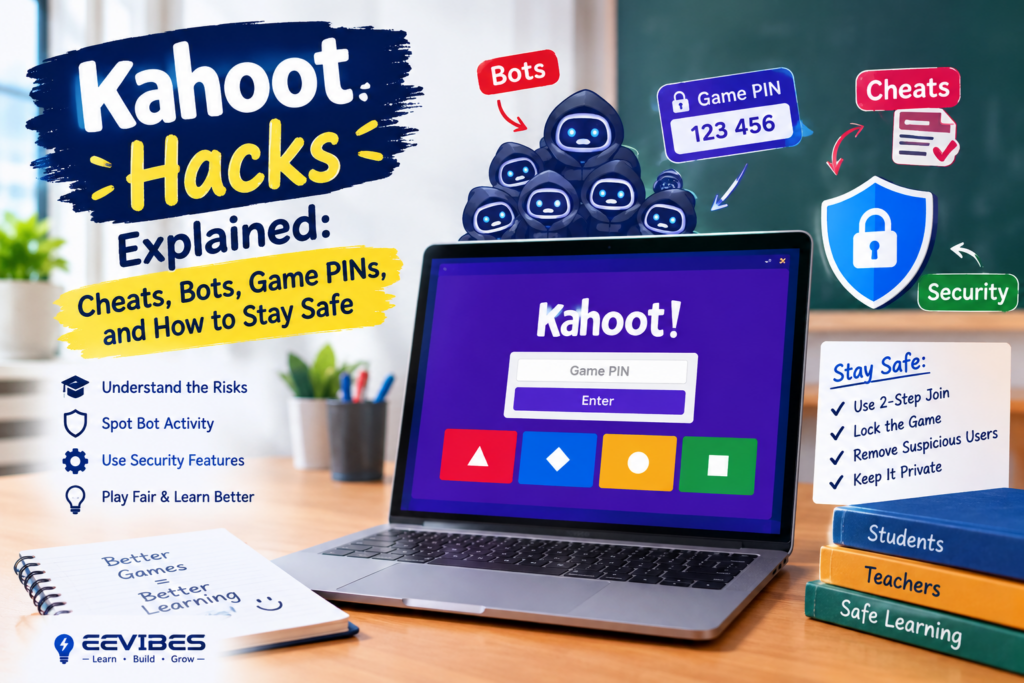
Understanding Student Cheating Tools
Despite Kahoot’s efforts to patch vulnerabilities, a persistent ecosystem of cheating extensions exists in the Chrome Web Store and GitHub.
Auto-answer extensions like K-Bot and QuizGPT connect to the game via WebSocket, analyze incoming questions using AI pattern recognition or GPT models, and either highlight correct answers or automatically submit them. K-Bot offers configurable “humanized” delays ranging from instant to 5-second stealth mode, designed to mimic natural response times and avoid detection.
Answer viewers like Kitty-Tools allow users to retrieve answer keys for any quiz by entering the Quiz ID—the unique identifier, not the game PIN. This enables players to see correct answers before the game even begins.
Flooders inject dozens or hundreds of bots into a session. While Kitty-Tools’ flooder functionality is currently broken and awaiting a fix, the threat persists as developers iterate on working versions.
These tools share common limitations: they require the quiz to exist in Kahoot’s database (meaning teacher-created private quizzes are often immune), they break when Kahoot updates its API, and they are increasingly detectable through behavioral analysis.
How Teachers Can Detect and Stop Cheating
Cheating leaves behavioral fingerprints. Teachers report catching students who perform flawlessly on Kahoot but poorly on traditional assessments—a discrepancy that merits investigation.
Red flags include: dozens of unknown players joining within seconds, random or inappropriate nicknames flooding the lobby, students with weak class performance suddenly posting perfect scores, and game lag caused by bot overload.
Practical countermeasures:
-
Lock the lobby before starting. The player list screen includes a lock icon that prevents new joins once the game begins.
-
Disable the nickname generator. Require students to use their real first names or a consistent identifier, which removes the anonymity that cheating tools rely on.
-
Walk the room or use screen monitoring. Tools like GoGuardian and Classwize allow teachers to see student screens in real time and capture evidence of cheating.
-
Block known hack sites at the network level. School IT teams can add the most popular cheating domains to blocklists, though new sites emerge continuously.
-
Switch to private or unlisted quizzes. Cheating tools that rely on Quiz ID lookups cannot retrieve answers for quizzes that are not publicly indexed.
Legitimate Kahoot Strategies for Students
For students who want to improve without cheating, several honest strategies consistently yield better results.
Practise the quiz beforehand. If a teacher uses a public quiz—or one they have used in previous semesters—it is often searchable on Kahoot’s discover page. Playing a solo round familiarises you with question wording, image associations, and timing patterns.
Prioritize accuracy over speed. Kahoot awards points for both correctness and response time, but a wrong answer earns nothing regardless of speed. Guessing rapidly is a net negative.
Use Ghost Mode for repetition. Replaying against your previous score builds genuine retention through retrieval practice, which research consistently identifies as one of the most effective study techniques.
Split-screen strategically. Viewing questions on one device while answering on another can reduce reaction time, particularly in classrooms with screen lag.
Use the Nickname Generator to Reduce Abuse
Another useful feature is Kahoot’s nickname generator.
Instead of allowing participants to enter completely arbitrary names, hosts can use generated nicknames. Kahoot also provides controls for dealing with inappropriate nicknames and allows hosts to manually remove suspicious participants from the lobby.
This matters because bot attacks often become obvious through unusual patterns in participant names.
For example, a teacher might notice:
Expected:
Ali
Sara
Ahmed
Fatima
Suspicious:
Hundreds of unexpected names appearing within seconds
The pattern itself can be a useful warning sign that the session needs additional protection.
How to Identify a Kahoot Bot Attack
There is no single visual indicator that proves a participant is a bot. Instead, teachers should look for unusual combinations of events.
Possible warning signs include a sudden increase in participants, large numbers of unexpected names, participants appearing faster than normal human joining would suggest, repeated suspicious naming patterns, or a sudden disruption immediately after the game PIN becomes visible outside the intended audience.
Kahoot also notes that bot flooding can sometimes masquerade as connection problems during large games, which is another reason to distinguish ordinary network problems from suspicious participant activity.
The Future of Game-Based Learning and Anti-Cheat Technology
The game-based learning market is projected to reach $52.1 billion by 2030, growing at 27.5% annually. As adoption expands into corporate training, higher education, and K-12 settings, the tension between engagement tools and integrity safeguards will intensify.
Kahoot’s response has followed a predictable pattern: identify a vulnerability, patch it, and wait for the next workaround. The company’s EDU offering now includes features specifically designed for institutional control—shared workspaces, detailed reporting, and AI-assisted content creation that reduces the temptation to reuse publicly indexed quizzes.
For educators, the long-term solution is not technical but pedagogical. Kahoot works best when it functions as a formative assessment tool rather than a high-stakes competition. When scores carry no grade weight, the incentive to cheat diminishes, and the platform’s genuine value—real-time insight into student understanding—takes centre stage.
Kahoot Hacks vs. Legitimate Kahoot Strategies
Not everything called a “hack” is actually cheating.
There are legitimate strategies students can use to perform better in Kahoot. Understanding the subject material is obviously the most important factor, but students can also improve their performance by reading questions carefully, eliminating clearly incorrect answers, managing time, and practicing with similar questions before an assessment.
For teachers, another useful strategy is using Kahoot reports to identify difficult questions and students who may need additional support.
Kahoot’s current reporting system provides information such as average score, number of participants, question count, duration for live games, and participant-level results. It can also identify difficult questions and participants who may need follow-up.
That makes post-game analysis more useful than simply looking at the final leaderboard.
Can You Hack Kahoot to Get the Answers?
There is no legitimate universal “Kahoot answer hack” that gives someone the correct answer to every question.
Kahoot questions are created by individual users, teachers, organizations, and other content creators. Consequently, the correct answer depends on the specific quiz.
Claims that a website can automatically reveal every answer should therefore be treated cautiously. A service might be attempting to use publicly accessible information, previously encountered questions, or some other mechanism rather than actually “hacking Kahoot.”
For students, the reliable way to improve results remains preparation and practice rather than relying on tools that claim to bypass the quiz.
What About Kahoot Answer Finders?
The phrase Kahoot answer finder is frequently associated with websites or tools claiming to locate answers automatically.
The important distinction is whether the content is publicly available or whether the tool is attempting to interfere with a live assessment.
Teachers can reduce this risk by keeping assessment material private where appropriate. Kahoot specifically recommends keeping sensitive Kahoots private because public content may be discoverable by services that scan publicly available games.
For important assessments, privacy settings should therefore be considered part of the assessment-security process.
Kahoot Security Is More Than Bot Protection
Kahoot security isn’t limited to preventing bots. The platform also addresses privacy, account security, inappropriate content, and student safety. Kahoot’s security documentation describes technical and organizational controls intended to protect customer and user data.
Kahoot also describes privacy and security as part of its product-development approach, including encryption, security testing, and other controls.
For educational institutions, this broader perspective is important because a secure quiz environment involves both technical security and responsible use of student information.
What Should Teachers Do After a Kahoot Attack?
If a live game is flooded with suspicious participants, the first step is to avoid panicking and stop treating the leaderboard as reliable evidence of normal participation.
The teacher can remove suspicious participants from the lobby, enable 2-Step Join, lock additional joining once legitimate participants are present, and restart the game if necessary. For future sessions, the teacher can avoid sharing the game PIN outside the intended audience and use private visibility for sensitive Kahoots. These measures align with Kahoot’s current recommendations.
If the problem appears to be a genuine connectivity issue rather than bot activity, Kahoot recommends testing the connection and checking whether school or business security systems are interfering with WebSocket connections.
Frequently Asked Questions About Kahoot Hacks
What is a Kahoot hack?
“Kahoot hack” is a broad search term used for techniques, shortcuts, cheats, bots, and attempts to manipulate or disrupt Kahoot games. It does not describe one specific feature or method.
What is a Kahoot bot?
A Kahoot bot is software that automates participation in a Kahoot session. In abusive situations, multiple automated participants may be used to flood or disrupt a game.
Can Kahoot bots be stopped?
Kahoot provides security features such as 2-Step Join, participant removal, and the ability to lock game joining. Kahoot states that 2-Step Join can block most known bot services, although no single setting guarantees a completely bot-free game.
Can I generate a Kahoot game PIN?
Participants cannot generate or look up a live Kahoot PIN themselves. The host generates the temporary PIN when starting the session.
Is using a Kahoot cheat the same as hacking?
Not necessarily. “Cheat” can refer to unauthorized assistance during a quiz, while “hacking” can refer to a broad range of activities. The specific behavior matters.
How do teachers prevent Kahoot game flooding?
Use 2-Step Join, monitor participants, remove suspicious users, lock joining after the intended participants have entered, and keep sensitive Kahoots private.
Does 2-Step Join work with QR codes?
Yes. Kahoot states that QR codes and direct join links do not bypass the 2-Step Join pattern when the feature is enabled.
Disclaimer: This article is for informational purposes only. Using auto-answer bots, flooders, or any other tool to manipulate Kahoot sessions violates the platform’s terms of service and undermines the educational purpose of game-based learning. Teachers and students should use Kahoot responsibly and ethically.